Seek Quest
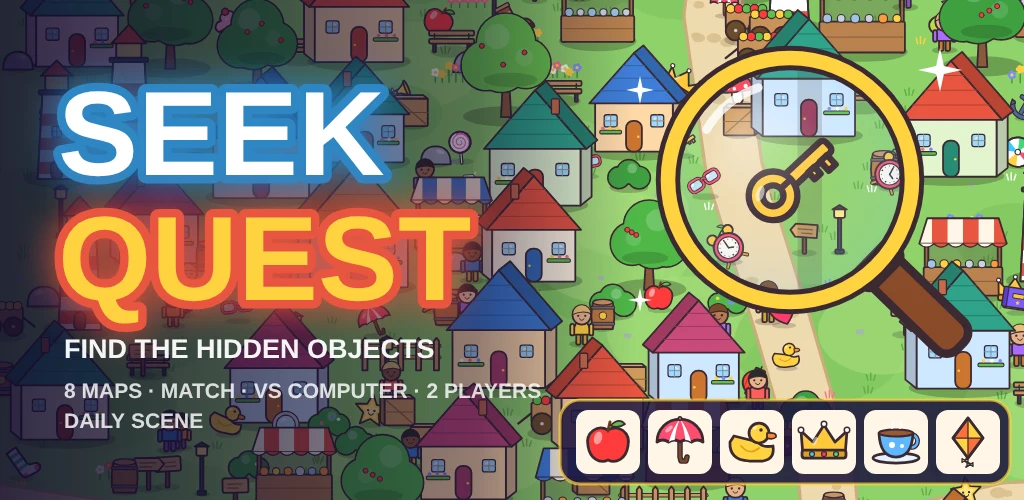
Play Seek Quest now · free, no download, no sign-up
Seek Quest is a calm but gripping hidden-object game. Each level drops you into a busy hand-drawn map, from a harbour town and a candy market to a pirate cove, a snowy village, a space station and a coral reef, and asks you to find the objects shown in your tray before the clock runs out.
It suits anyone who enjoys a careful look around: young players spotting a rubber duck behind a market stall, and puzzle fans hunting the last tiny key on a crowded map. Levels take a minute or two, so it is easy to play one more.
How to play
- Look at the tray: it shows the objects to find, with a count when there are several of the same kind.
- Pinch or scroll to zoom in, and drag to look around the map.
- Tap an object from the tray when you spot it; it flies into its slot and ticks off.
- A wrong tap takes two seconds off the clock, so look before you tap.
- Find everything before time runs out; the faster you are, the more stars you earn.
- Stuck? The magnifier button shows you where one of the remaining objects is hidden.
Controls
On a phone or tablet
Tap to find, pinch to zoom and drag with one finger to look around. The plus and minus buttons zoom too.
On a computer
Click to find, use the mouse wheel to zoom at the pointer and drag to pan. Arrow keys pan and the plus and minus keys zoom.
Game modes
Classic
Eight maps with six levels each. Every level hides more and smaller objects, and finishing a map opens the next one.
Match
Every object is hidden twice. Find both copies; finding the twin straight after the first counts as a quick pair for double points.
Vs computer
Race a computer seeker on the same map and list. Its magnifier wanders the map on easy, medium or hard, and whoever finds more objects wins.
2 players
Pass the phone. Each turn one player has a short time to find the highlighted object; faster finds score more points.
Daily
One new scene each day, the same for everyone, with your best time and a daily streak.
Tips
- Zoom in on one part of the map at a time instead of scanning the whole map at once.
- Look around buildings, stalls and trees: on harder levels objects are often half tucked behind them.
- Check the count in the tray; an object marked x3 is hidden in three different places.
- Save your hints for the last object; the earlier ones are usually easier to spot.
- In vs computer mode, watch where the computer's magnifier is heading and search the other side of the map.
About the game
Seek Quest builds on the classic seek-and-find picture puzzle, the kind found in busy picture books, with original maps and objects drawn for the game. Each map has its own colours, buildings and little moving details such as waving people, bobbing boats, flickering lanterns and falling snow.
On phones the tray sits at the bottom of the screen and you explore with your fingers; on a desktop the tray moves to the side so more of the map fits on screen. Your stars, coins and unlocked maps are saved in your browser.
Questions
- Is Seek Quest free?
- Yes. It plays free in your browser on phones, tablets and computers, with nothing to install.
- Does it save my progress?
- Yes. Your stars, coins, hints and unlocked maps are saved in your browser on this device.
- Can two people play on one phone?
- Yes. 2 players mode takes turns: pass the phone and each player finds the highlighted object as fast as they can.
- What if I cannot find the last object?
- Use the magnifier hint: it moves the view to a remaining object and circles it. You start with three hints and can earn more.